

| Quick Answer: How To Reduce Screen Time Tips The tips that actually reduce screen time are the ones that change your environment, not your willpower – phone out of the bedroom, notifications batched instead of live, greyscale mode, a screen-free window at the start and end of the day, and replacing scroll time with something specific rather than just “trying to use it less.” |
“Just delete the app.” I’ve read this in every screen time article I’ve ever opened, and I want to be honest: it did nothing for me.
I’d delete Instagram, feel very proud of myself, and reinstall it four days later because I needed it for work anyway – half the small businesses I follow for client research only post there.
The tip isn’t wrong for everyone. It just doesn’t work if the app in question isn’t optional.
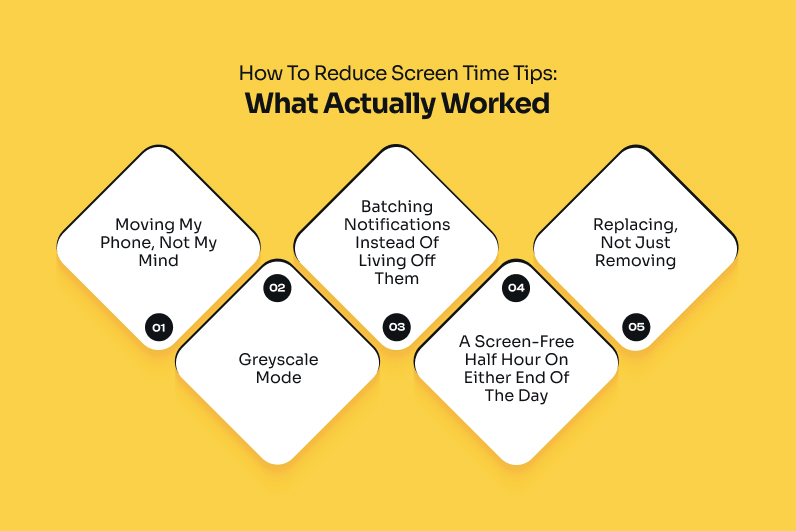
How To Reduce Screen Time Tips: What Actually Worked
If you have been searching for the ultimate list of how to reduce screen time tips on the internet because you think you have literally had enough, let me come to your rescue.
Here are the ones that have genuinely worked for me:
Moving My Phone, Not My Mind
The single biggest change was physical, not mental.
I stopped trying to “resist” checking my phone and just made it harder to reach. Charging it in the living room overnight instead of by my bed, leaving it in my bag during meals instead of on the table. These are just 2 of the many things that I have started doing.
Willpower is exhausting to maintain all day. Distance barely requires any.
Greyscale Mode
This one sounded gimmicky until I tried it. A colorless screen is genuinely less compelling to keep scrolling – app icons stop popping, feeds stop looking as rewarding.
I turn it on automatically after 9 pm, and it’s cut my nighttime scrolling more than any app limit ever did.
Batching Notifications Instead Of Living Off Them
I check messages and email three times a day now – morning, after lunch, early evening – instead of the second something arrives.
Nothing urgent has ever actually been urgent enough to justify a live ping, in my experience, and batching cut my daily pickups dramatically.
A Screen-Free Half Hour On Either End Of The Day
The first and last 30 minutes of my day used to be entirely screen time.
Now they’re not. I stretch or make tea in the morning, and read a couple of pages before bed instead of scrolling.
It sounds small. It changed how my whole day starts and ends.
Replacing, Not Just Removing
Cutting scroll time without filling that space with something else just leaves a restless gap you’ll fill with your phone again out of boredom.
I keep a book, a puzzle, or an actual plan for that freed-up time, so I’m not just staring at the wall waiting to reach for my phone again.
The App-Blocker Tools That Actually Have Teeth
Let’s be entirely honest about your phone’s default screen time settings. They are a joke. Your limit runs out. A polite little pop-up appears.
You instantly hit “Ignore Limit for Today” without a single ounce of guilt. This habit is dangerous. It actively trains your brain to treat your own boundaries like a suggestion.
If you cannot trust your own fingers, you need to outsource your discipline. You need digital tools that actually have teeth.
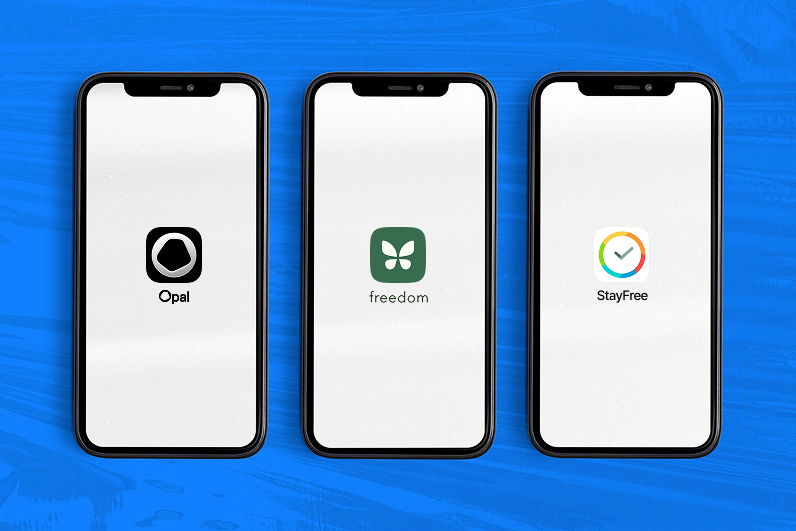
Here are the only three app-blockers worth your time:
Opal:
This is the absolute nuclear option. It doesn’t just ask you nicely to close an app. It sets up a local VPN.
This completely disconnects your device from the app’s servers during work hours. You cannot bypass it. Even restarting your phone won’t break the block.
Freedom:
This tool is perfect if your distraction bounces between screens. It syncs across your phone, tablet, and laptop.
It blocks addictive apps and websites simultaneously. You cannot cheat by simply switching to your desktop.
Stayfree:
This app gives you a brutal, highly accurate breakdown of your usage anomalies. It lets you set strict, password-protected blocks.
Here is the trick. Give the password to a friend or roommate. That way, you physically cannot unblock the app yourself when you get bored.
Why The Generic Tips Don’t Fully Work For An Indian Work Life

A lot of this advice assumes your phone is optional outside of work hours.
Mine isn’t, and I suspect yours isn’t either.
The client message at 8 pm, the family WhatsApp group that runs all day, the building watchman who only communicates through an app. And everything falls apart.
Reducing screen time here has to work around a phone that’s genuinely load-bearing, not just entertaining. Which is precisely why “delete it” advice so often fails for working women in India specifically.
Why Willpower-Only Advice Fails
There’s a concept called the red car theory. Once you notice something, you can’t stop seeing it, whether that’s red cars on the road or your own hand drifting toward your phone.
Noticing the habit doesn’t make it go away on its own; it just makes you aware of how often it happens.
That awareness is useful. But only paired with an actual environmental change. Which is why the tips that worked for me were all about removing friction, not relying on noticing harder.
What All This Screen Time Was Actually Costing Me
I didn’t take any of this seriously until I connected it to how I was actually feeling – a kind of tiredness that rest didn’t fix, which lines up with what’s now being called digital burnout, and
I also noticed a fractured, foggy memory loop – a cognitive slowdown that pop-psychology blogs colloquially refer to as digital dementia when screen dependency builds up unchecked.
The tips only started sticking once I understood they weren’t just about “better habits” in the abstract – they were addressing something specific that was already affecting me.
When Tips Aren’t Enough
Daily habits handle most of it, but not always all of it. On weeks where old patterns crept back in, a short, deliberate digital detox reset things faster than tweaking my habits further did.
And if it’s been building for months rather than weeks, a proper digital detox retreat – a few days somewhere you genuinely can’t check your phone – does in a weekend what small daily tips take much longer to achieve.
The Body Doesn’t Care How Many Tips You Know
Every notification you respond to is a tiny stress cue, and constant exposure to those cues keeps your cortisol running higher than it should.
A cortisol detox, practically speaking, is what these tips are actually doing – just fewer alerts, fewer interruptions, less of your nervous system staying switched on.
If you’re not sure whether this is genuinely affecting you, a cortisol test at home is a reasonable way to check rather than assume.
And it’s worth knowing that how to reduce cortisol levels in woman-specific terms accounts for hormonal cycles that generic stress advice usually ignores.
What Happened To My Focus

A side effect I didn’t expect: my attention span improved. I could read longer, sit through meetings without the itch to check my phone, finish a task before starting another.
If you’re also working on how to fix attention span, cutting screen time isn’t a separate project from that – it’s most of the work.
The Small Stuff That Helped Too
Taking my coffee outside instead of at my desk – a small, low-effort version of touch grass – became one of my favorite parts of the day, and probably did more for my mood than any single app limit did.
None of this fixed everything – I still work from my phone, and I’m still figuring out my own version of the great millennial career crisis on the side. But going from roughly 8 hours of screen time a day to closer to 3 wasn’t about one dramatic change.
It was five boring, repeatable habits that didn’t ask me to quit my phone, just to stop letting it run unsupervised.
| Disclaimer: The information provided in this article is for educational, habits tracking, and cultural analysis purposes only. It should not be treated as professional medical advice, diagnosis, or treatment. Always consult a qualified healthcare provider regarding hormonal health, stress profiles, or medical testing. |